

Small app. Open possibilities.

Your screen.
Clearly captured.

Capture the moment. Make your point. Keep your flow.

macOS · Windows · Linux Free & open source
A little clarity goes a long wayMooji Cut
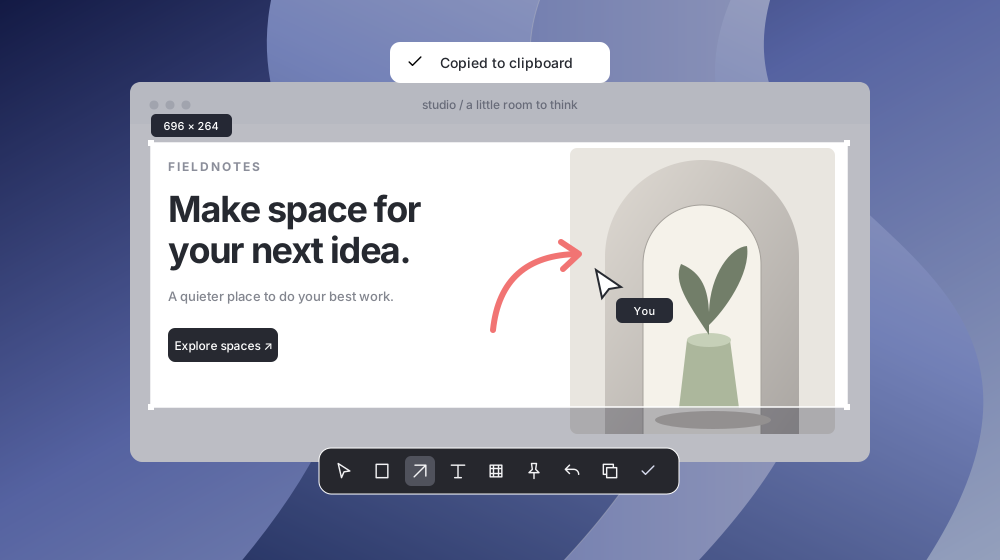
A screenshot selection with an annotation arrow and a compact floating toolbar
Capture. Annotate. Done.Product illustration
LESS FRICTION. MORE FLOW.
01 / CAPTURE

Everything you need.
Nothing in your way.

A crisp capture. A clear annotation. A toolbar that stays out of your way.

Arrows, shapes, text & solid covers
Your tools, in your order Mac preview
Saved locally. Shared on your terms.
Your workspaceOne less thing to get in the way.
Capture toolsRecordingEditor
Made to fit the way you work.

Try the switches. Make it yours.

02 / PIN

Keep the reference.
Lose the tab switching.

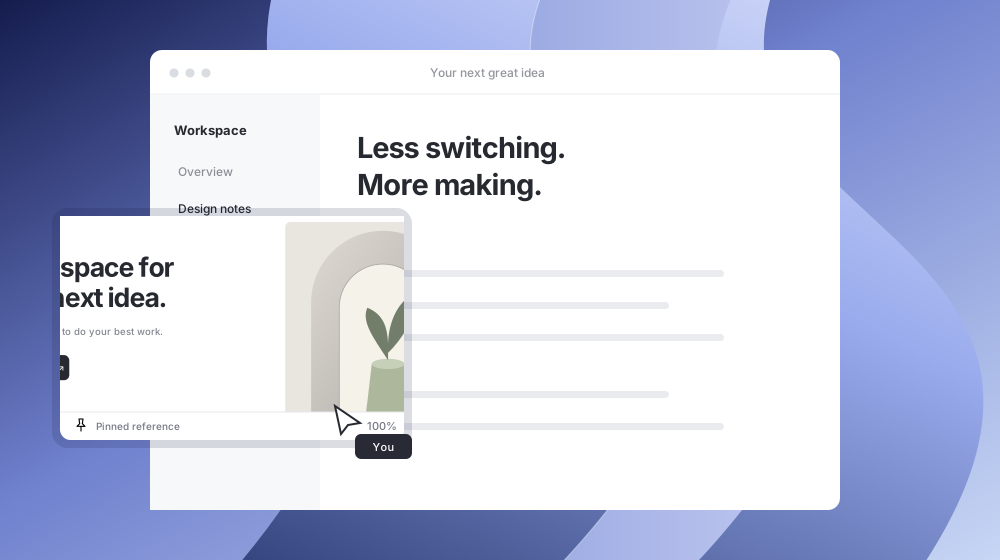
Pin a capture above your other windows.
Keep the details in sight while you work.

A floating screenshot stays visible beside a document
A reference, right where you need it.Product illustration
03 / RECORD & EDIT MAC PREVIEW

From first take.
To the good part.

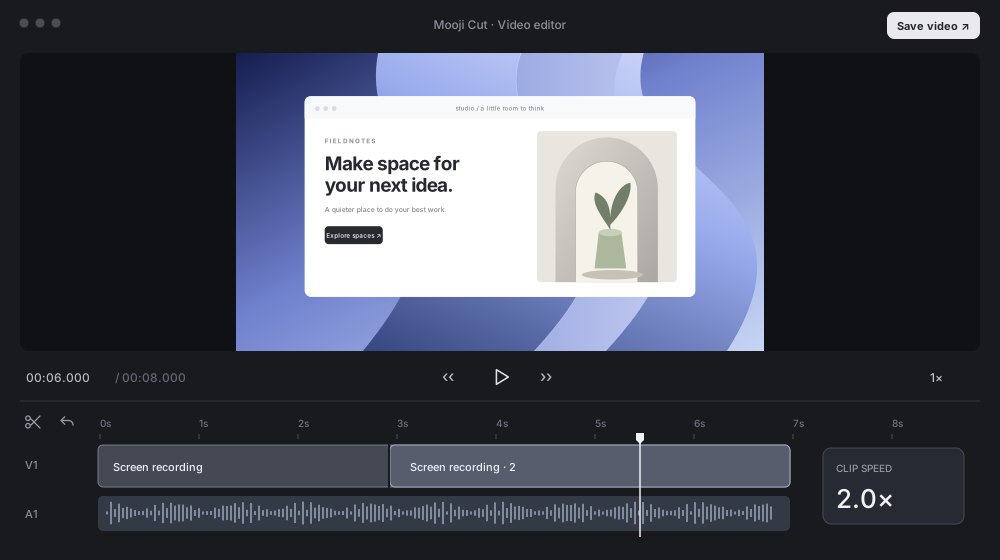
Split, trim, rearrange. Set the pace.
The essentials of editing, without the overhead.

A video editor with separate video and audio tracks, a split clip, and a clip speed control
Split & trim · Clip speed · Separate audioProduct illustration
YOURS TO USE. YOURS TO EXPLORE.

Make room for clarity.

Free & open source. No subscription. No account.

Preview 0.1.0-alpha.20 What’s new ↗

Choose your computer. The download starts directly from GitHub.

For Mac

macOS 26+ · Apple Silicon

Download for Mac ZIP · Most complete preview
Install & get started +

Unzip and move Mooji Cut to Applications. This preview is not notarized: macOS may ask you to approve it in System Settings → Privacy & Security. Allow Screen Recording, then reopen the app. Future releases can be installed from its update settings.

For Windows

Windows 10 / 11 · Intel or AMD 64-bit

Download for Windows Portable ZIP · Early preview
Install & get started +

Extract the entire ZIP, then run MoojiCut.exe. This preview is unsigned. It includes screenshots and silent screen recording; the new Mac timeline, OCR, and plugin management are not available here yet.

For Linux

Ubuntu 22.04+ compatible · x86_64

Download for Linux tar.gz · Screenshot preview
Install & get started +

Extract the archive and run ./launch.sh. Requires glibc 2.35+, GTK 3, Ayatana AppIndicator, and libcurl. X11 capture is tested; Wayland depends on your desktop’s portal. Screen recording is not available yet.

Still in alpha. Features differ by platform — check the notes above.
A FEW GOOD QUESTIONS

Good to know.

Is Mooji Cut really free?+

Yes. Mooji Cut is free and open source under the MIT license. There is no account, subscription, or paid tier.

Where do my captures go?+

Capture and editing happen on your computer. Save a file or copy a screenshot to your clipboard, then share it yourself. Mooji Cut does not automatically upload your captures to a cloud gallery.

Can I use it on all my computers?+

Yes, on supported systems. The Mac preview currently has the fullest feature set, including the new video editor. Windows and Linux support are earlier in development. See each download’s installation notes for the current differences.